Last updated: March 18, 2026
Goal: Automatically add setup/travel time before and/or after each booking.
Where: Settings → Booking rules (or Availability settings).
Steps
- Open Availability.
- Find Buffer time (before/after).
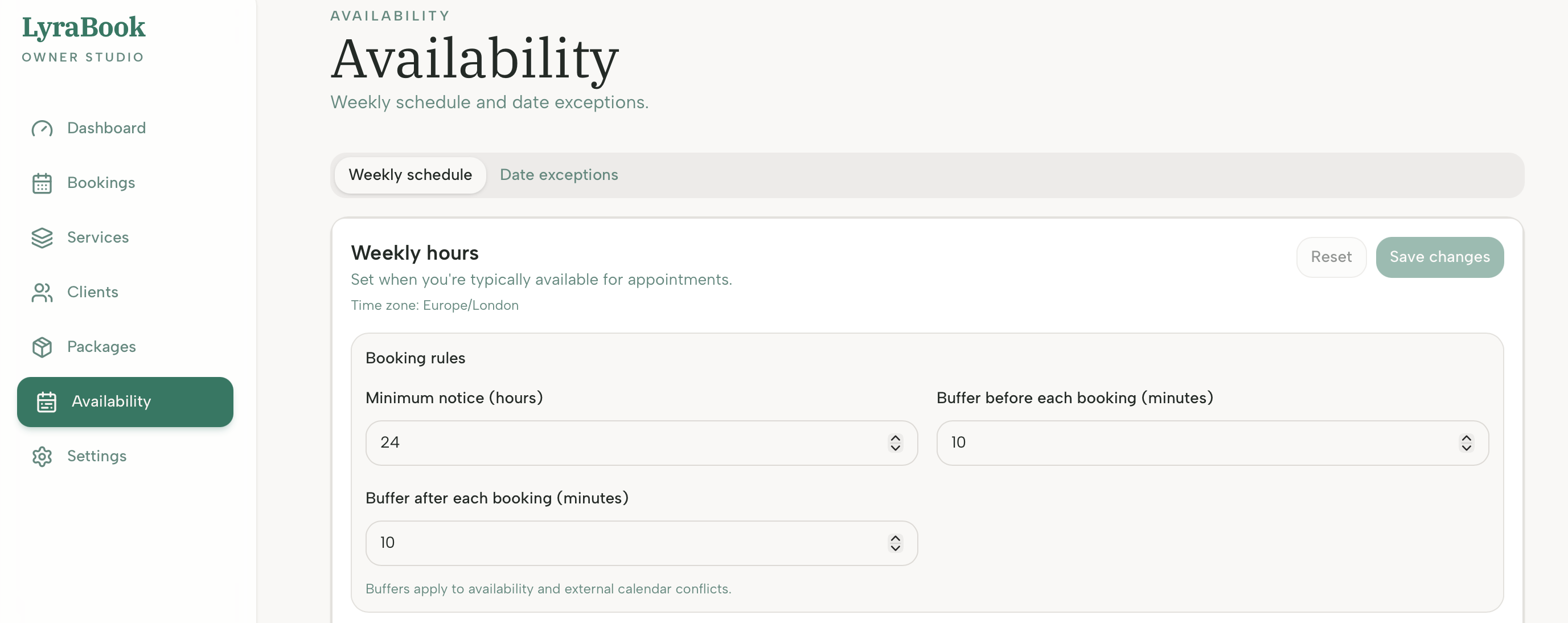
- Set the buffer you want (e.g., 10 minutes before and 10 minutes after).
- Save changes.
- Preview your availability to confirm slots are spaced correctly.
Notes
Buffers reduce back‑to‑back bookings. If a 60‑minute service with a 15‑minute buffer seems to “remove” slots, that’s expected — the slot needs room for the buffer. For example, if you have a 60min session at 13:00 with a 15-minute buffer after the booking, the next available bookable slot will be 14:15