Last updated: March 18, 2026
Goal: Fix the most common reasons clients can’t see time slots.
Where: Availability, Calendar sync, and your booking page.
Steps
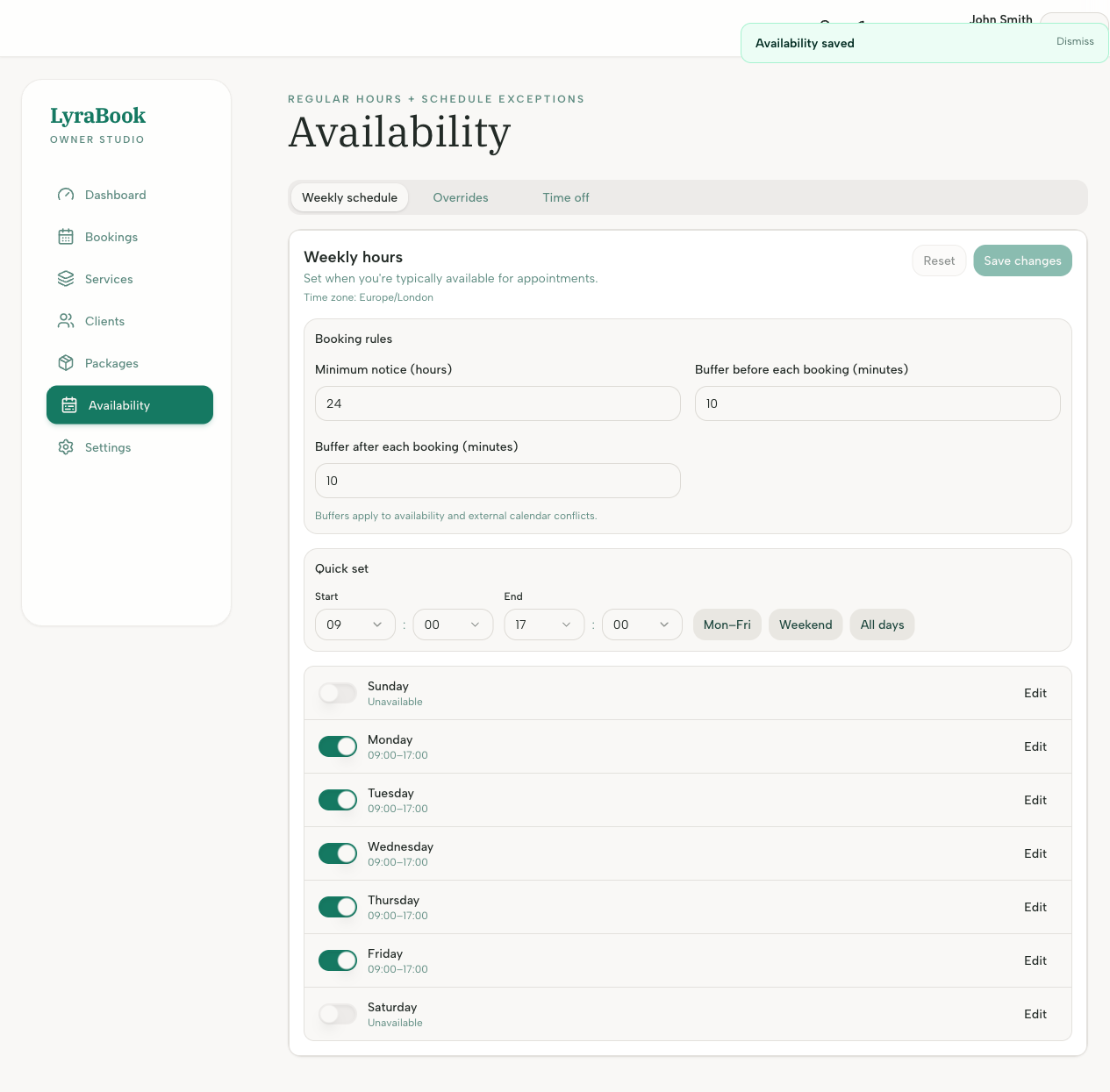
- Confirm you have a weekly availability schedule set.
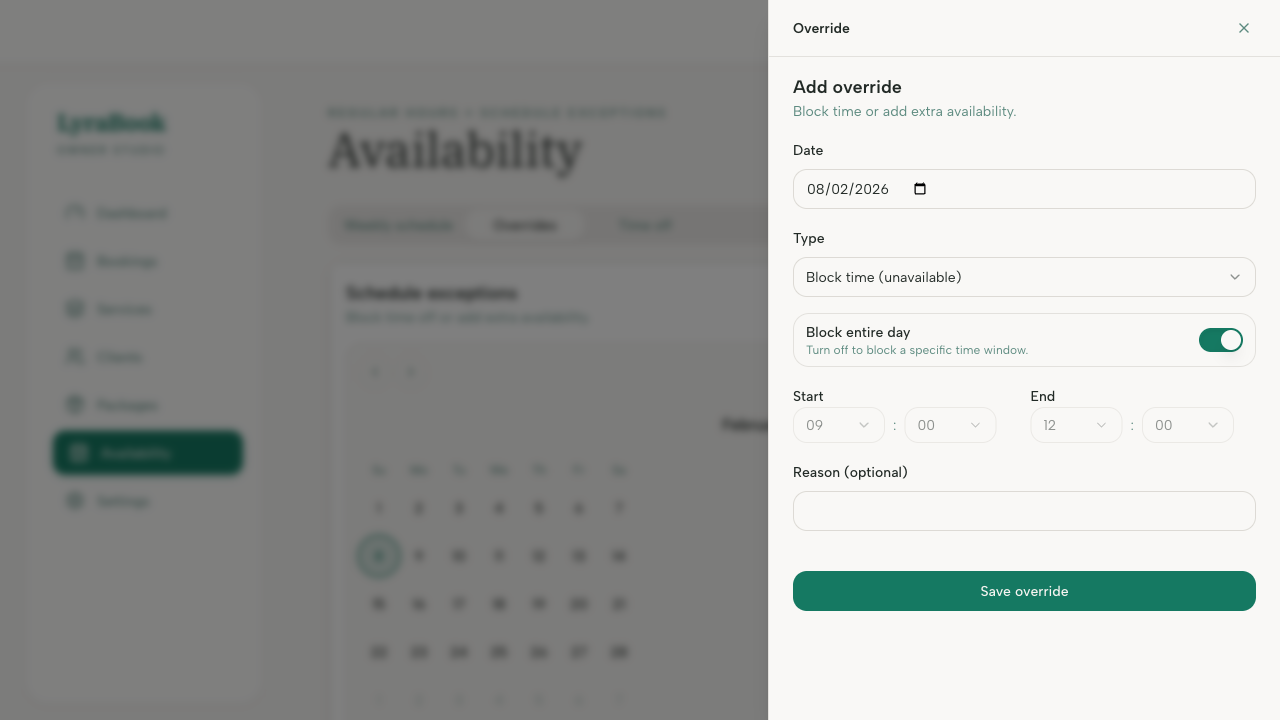
- Check for time off/overrides blocking the dates you’re testing.
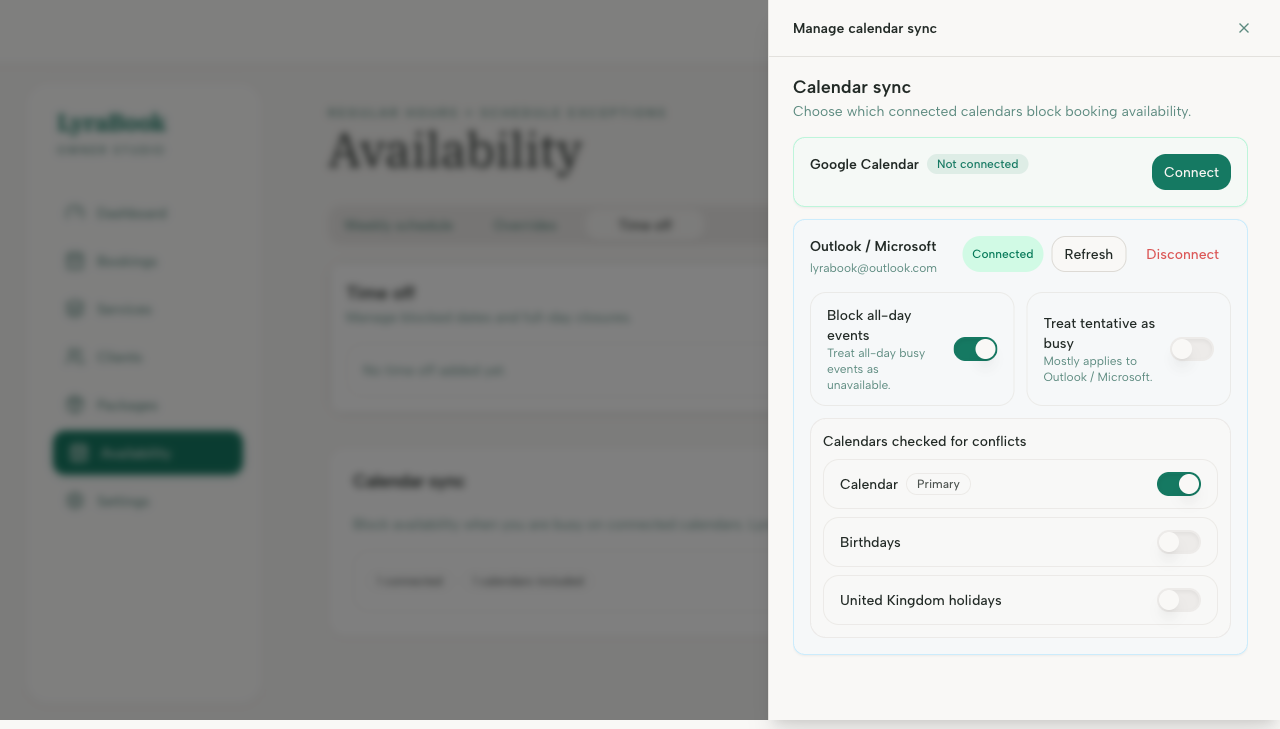
- If calendar sync is enabled, ensure you selected the correct calendars and check for busy events.
- Confirm your timezone is correct in Settings.
- Test with a short service and look several days ahead.
Notes
If you recently changed availability, refresh your booking page and test in an incognito/private window to rule out cached sessions.