Last updated: March 18, 2026
Goal: Fix missing booking confirmations and reminders.
Where: Provider notification settings and email provider spam filters.
Steps
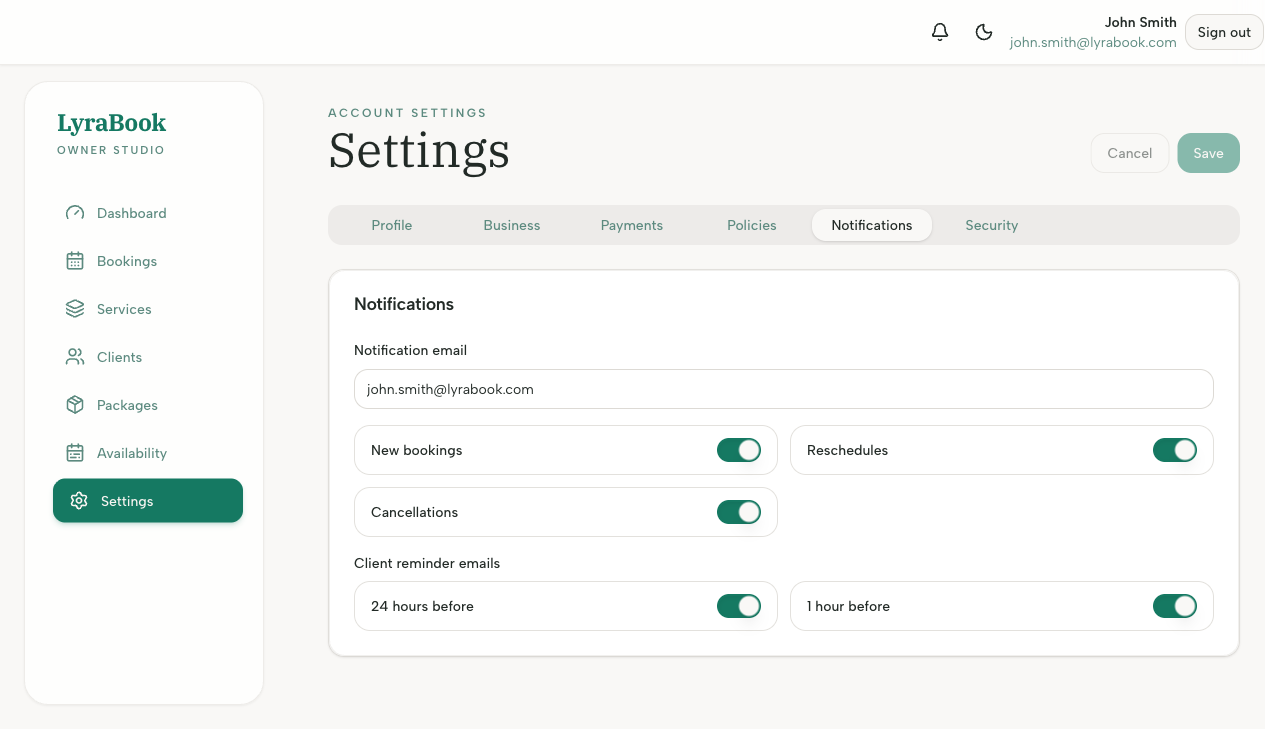
- Check your notification settings in Settings (new booking, cancellation, reminders).
- Search your email for messages and check spam/junk.
- If you use a custom domain, ensure your mailbox allows the sender domain.
- Verify the notification email address is correct.
- Trigger a test booking (or manual booking) to confirm delivery.
Notes
If only one recipient is missing emails, it’s often a mailbox/spam rule issue rather than app configuration.