Last updated: March 18, 2026
Goal: Fix common issues with connected calendars and availability blocking.
Where: Availablity → Manage calendar sync.
Steps
- Confirm your calendar is connected and shows as active.
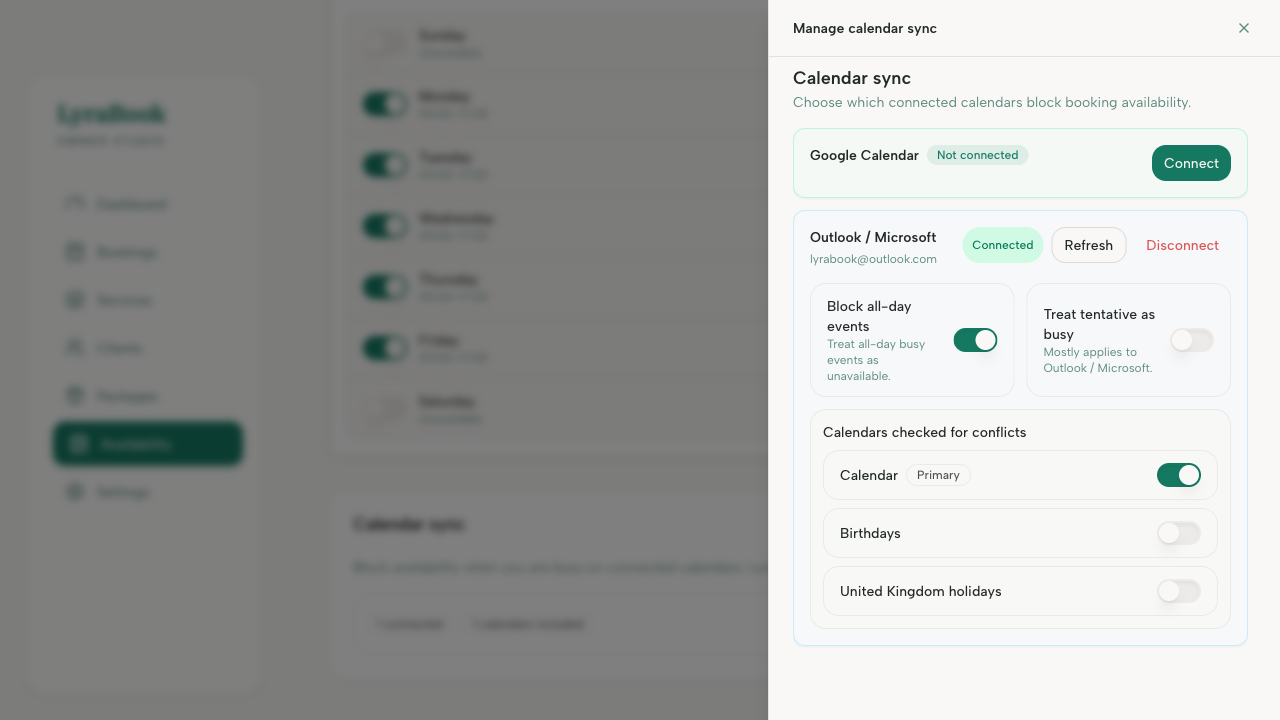
- Verify the correct calendars are selected for syncing.
- Create a test busy event and confirm it blocks the same time slot.
- If changes aren’t reflected, use Refresh connection or disconnect/reconnect.
Notes
Common causes: wrong timezone, wrong calendar selected, or the provider account connection expired and needs reconnecting.