Last updated: March 18, 2026
Goal: Cancel a booking and ensure the client is informed.
Where: Bookings → open booking → Cancel.
Steps
- Go to Bookings and open the booking.
- Click Cancel booking.
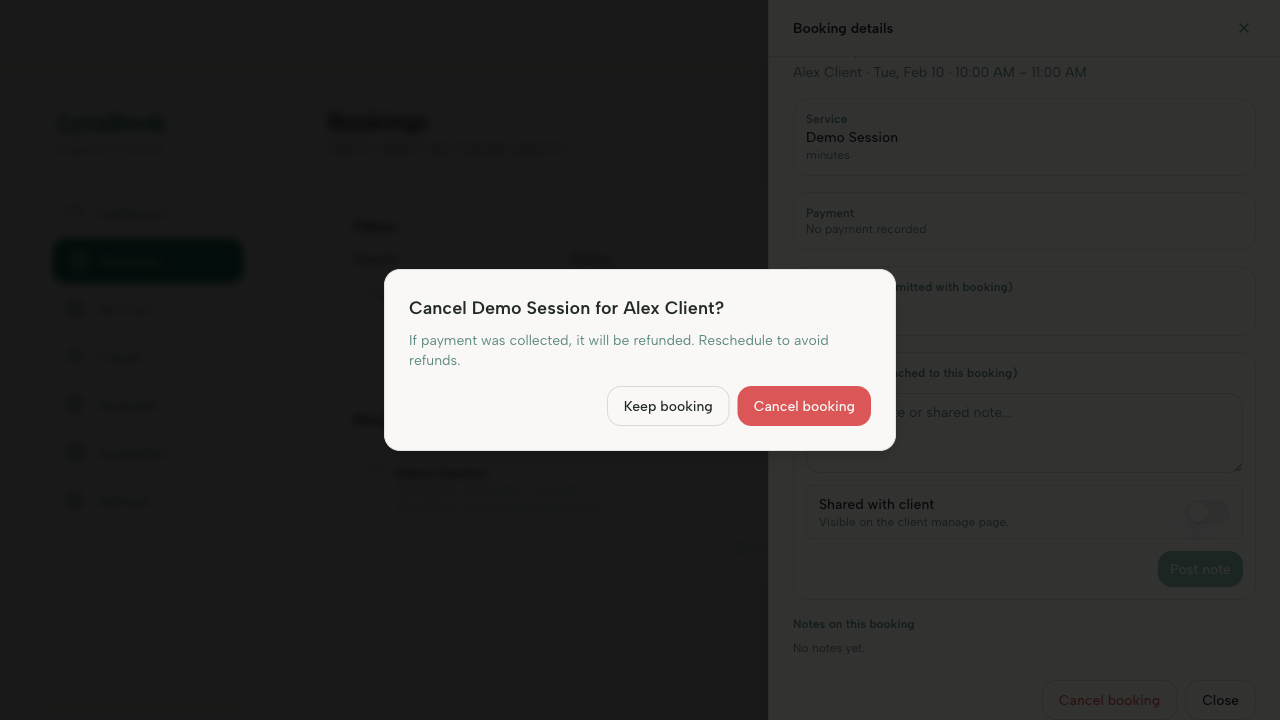
- Confirm the cancellation.
- If payment was taken, follow your refund policy and complete any refund steps if prompted.
Notes
If you have a cancellation policy, make sure it’s set in your provider settings and visible to clients.